Feature
Track your child's speech progress, sound by sound
Help Me Talk keeps a record of every practice session. The Progress screen turns it into a few simple cards: what your child did today, how each sound is moving week by week, and how many days in a row you have practised. You see real trends instead of guessing from one good or bad evening.
The short answer
Open the Parents tab and tap Progress. You see today's minutes, sentences and new words, a weekly average score for each sound, daily goals, a streak, and charts of the week. A sound's chart only starts after 10 scored tries in a week, so one lucky try can't move the line. It is part of the Help Me Talk subscription, on iPhone, iPad and Android.
US prices for iOS and Android. Prices vary by country; your store shows the price before you subscribe. The new prices are active on Google Play and take effect on the App Store on October 8, 2026.
Why tracking helps
Speech changes slowly. Day to day, it is hard to tell if "wabbit" is turning into "rabbit". A good day makes you hopeful, a tired day makes you worry, and neither tells you much.
Weekly numbers smooth that out. When you can see that the R sound averaged 58 three weeks ago and 66 this week, you know the practice is working. When a sound stays flat, you know where to spend more time.
- Effort is always counted. Every try shows up, even ones the app could not score.
- Scores are averaged by week. No single try decides anything.
- Nothing is shown as failure. A lower week is just a smaller number.
Watch it work
These are real screens from the app. A parent opens Progress, checks the sounds, and taps R to see its weekly trend.
Inside the app
See the Progress screen
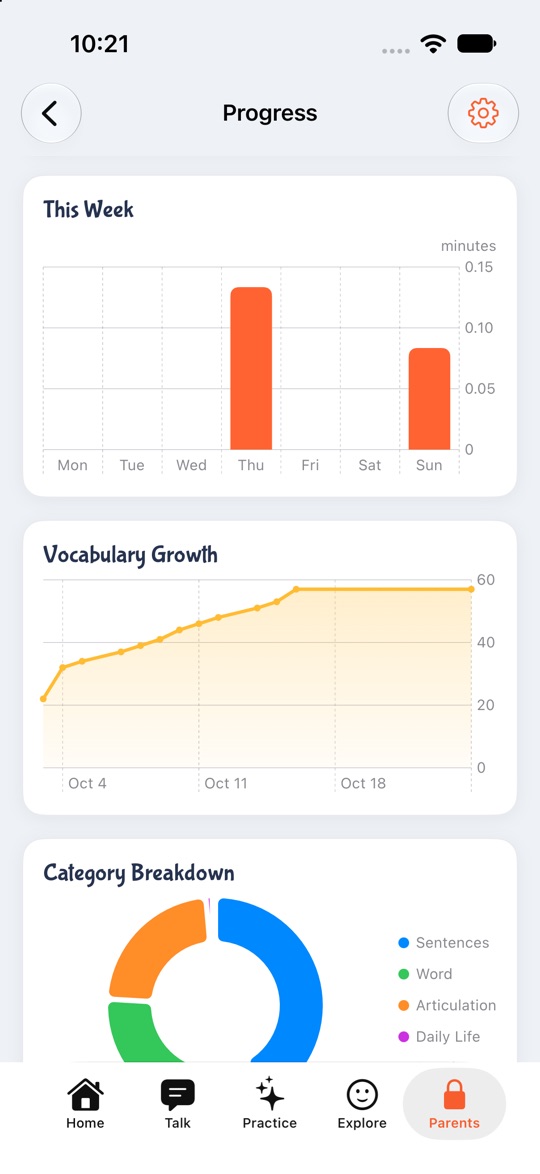
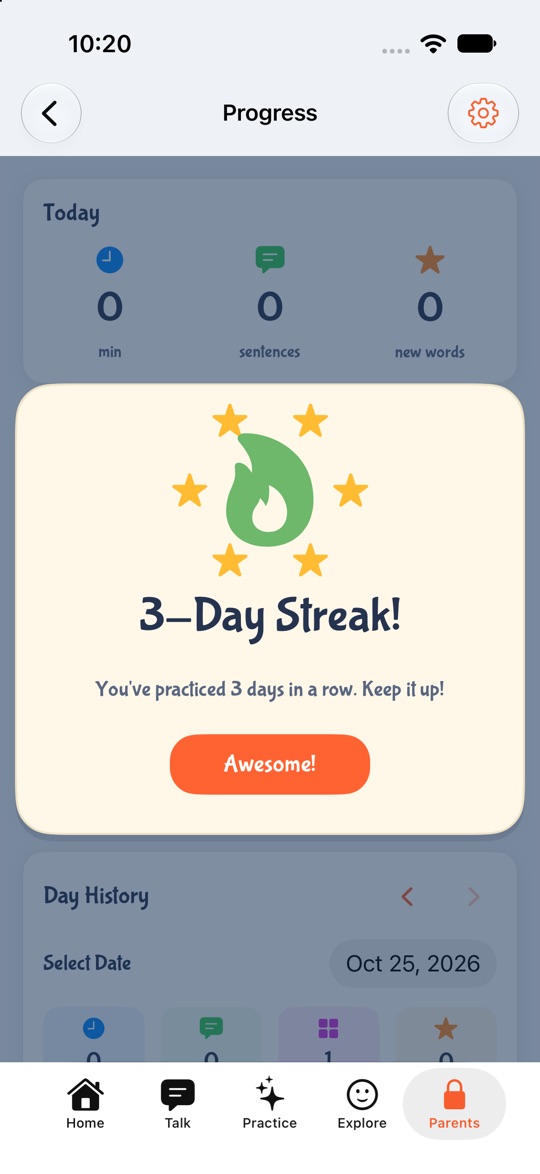
These are real screens from Help Me Talk on iPhone, on a test profile. The numbers come from test practice, not from a real child.
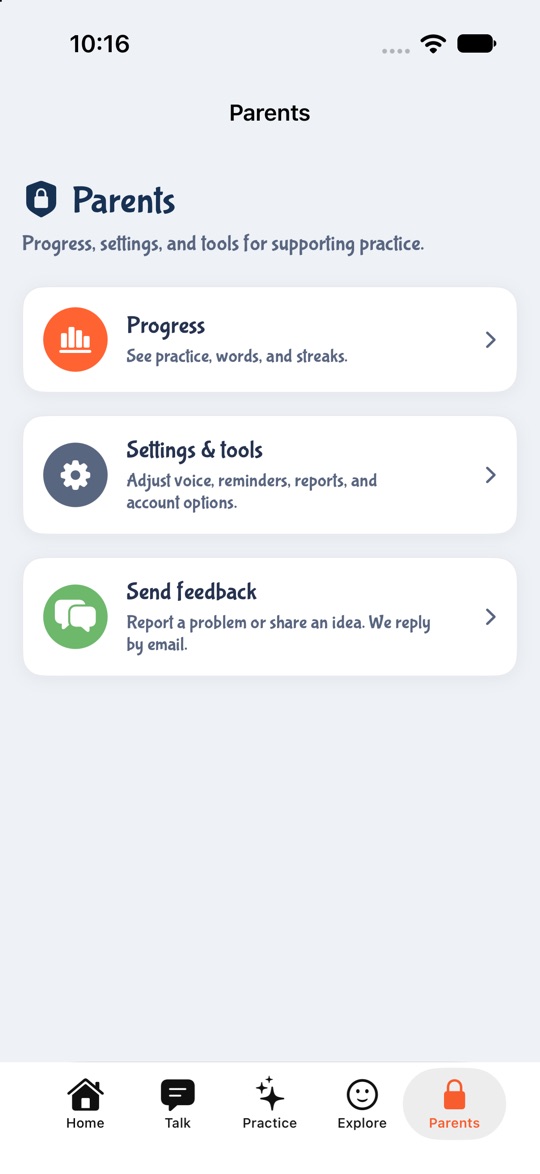
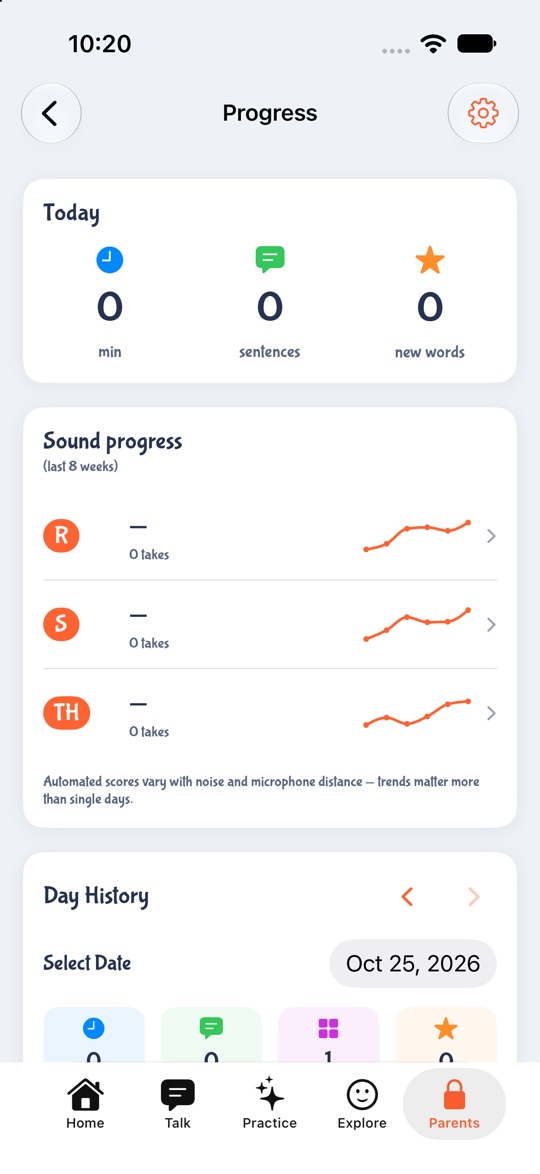
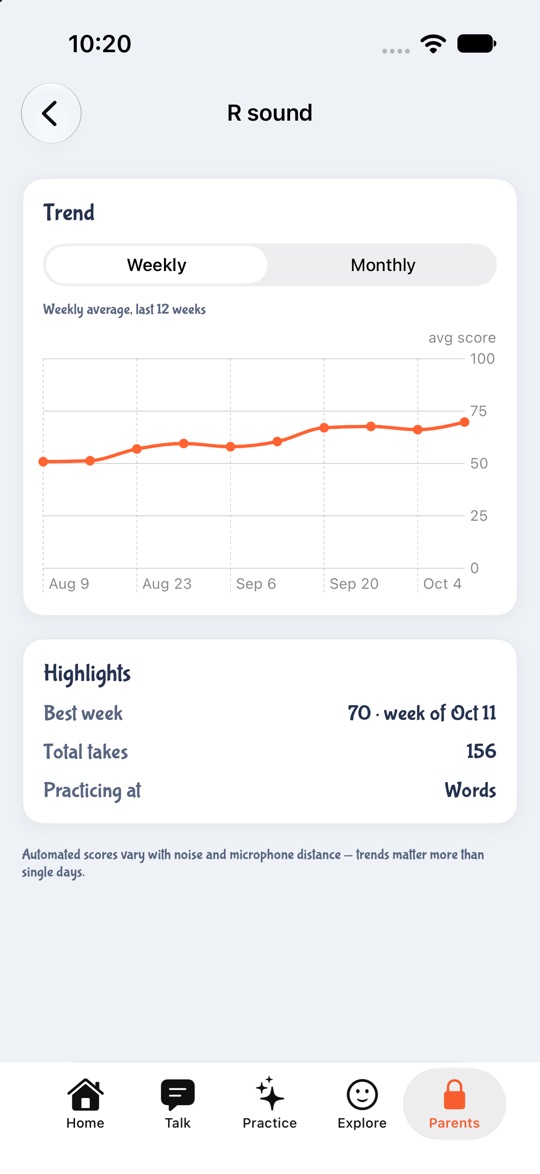
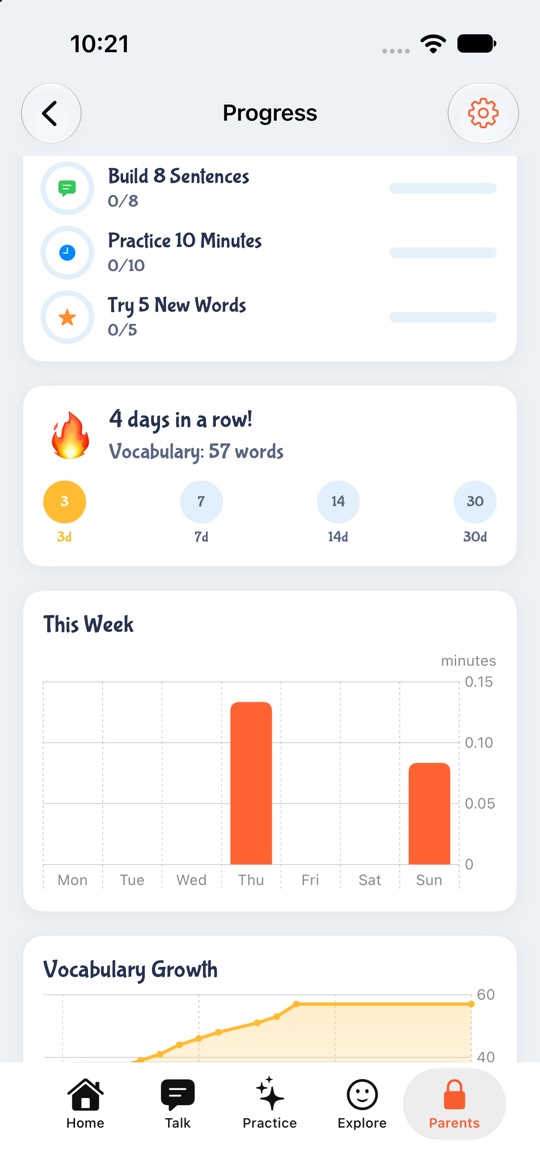
1. Open Parents, then Progress
A 3-second hold opens Parents, so a child does not wander in.
Try it with your child. Free to download.
What the Progress screen shows
Progress sits behind a 3-second hold on the Parents tab, so it is a grown-up screen. Here is each card from top to bottom on iPhone.
| Card | What you see |
|---|---|
| Today | Practice minutes, sentences built and new words. Once a sound has 5 scored tries in a day, a line names the best sound today. |
| Sound progress | One row per sound practised in the last 8 weeks: this week's average, the change from last week, the number of tries, and a small trend line. |
| Day History | Pick any day in the last 90 days to see its minutes, sentences, words and new words, plus the list of words your child practised. |
| Daily Goals | Build 8 sentences, practise for your daily minutes, and try 5 new words. A celebration plays when all three are done. |
| Streak | How many days in a row your child has practised, and their total vocabulary. |
| Charts | Minutes for each day this week, vocabulary growth over time, and a breakdown by kind of practice. |
| New words this week | The words your child used for the first time this week. |
How the sound scores work
When your child says a word in a scored activity, the app gives the try a score out of 100. Where it can, it scores the sound you are working on inside the word, like the R in "rabbit", not the whole word. These scores feed the weekly averages. You can read more in how a speech app can tell if your child got it right.
- 1Tries without internet still count as practice. They raise the number of tries, but they have no score, so they stay out of the average.
- 2A week needs 10 scored tries before it gets an average. Until then the row says "Keep practicing to unlock this chart" and shows how many of the 10 you have.
- 3A missing number shows as a dash, never as 0. A quiet week does not look like a bad week.
- 4The change from last week only compares two full weeks. It shows as up, down or steady.
- 5Tap a sound for its own screen. You get a weekly line for the last 12 weeks or a monthly view, the best week, total tries, and whether the sound is at words, phrases or sentences.
Streaks, minutes and new words
Streak celebrations appear at 3, 7, 14 and 30 days in a row. If the streak breaks and starts again, your child can earn them again.
| Number | What counts | What does not count |
|---|---|---|
| Streak days | A day with real practice: talking in Owl's Playhouse, tapping words, playing sentences, sound practice, Speech Adventure, Feelings taps | Just opening the app, or only looking at the schedule |
| Streak freeze | One missed day per week is covered, if it saves a running streak | A second missed day in the same week |
| Practice minutes | Time spent in active practice, with overlapping taps counted once | Looking at My Day, or a single activity left open for more than 10 minutes |
| New words | Words tapped, sentences played, Speech Adventure words and single-word sound cards | Feelings faces, schedule cards, and whole phrases from sound practice |
The weekly recap on iPhone and iPad
After a good week of practice, a short recap opens on its own. It shows the number of tries, practice days and the streak, then a slide called "Sounds on the move", then a next step. A sound that slipped reads "needs more practice time" with no number, so it never feels like a report card for your child.
The recap appears at most once every 7 days, after a week with at least 3 practice days or 20 scored tries. The first one waits a full week after your first practice. If you close it, you can open it again from Progress.
iPhone and iPad compared with Android
| Part | iPhone and iPad | Android |
|---|---|---|
| Today, daily goals, streak | Yes | Yes |
| Weekly, vocabulary and category charts | Yes | Yes |
| Sound scores | Weekly average per sound, last 8 weeks, tap for a 12-week view | Average score per sound over the last 30 days, with how many tries were scored |
| Day History | Yes, last 90 days | No |
| Weekly recap | Yes | No |
Problems and fixes
| What happens | Try this |
|---|---|
| A sound shows a dash and "Keep practicing" | It has fewer than 10 scored tries this week. A few more short sessions will unlock it. |
| Lots of tries, but few are scored | Those tries likely had no internet. Practise with a connection when you want scores. |
| The score dropped this week | Check for noise or a phone held far away. One week is not a trend. Look at the next two. |
| The streak reset after one missed day | The freeze covers one missed day a week. A second missed day in the same week ends the streak. |
What progress tracking does not do
It is not a diagnosis or a speech assessment, and it does not replace a speech therapist. The scores come from automatic speech scoring and move with noise and microphone distance. If you are worried about your child's speech, talk to your doctor or a speech-language pathologist. You can show them the Progress screen as a record of home practice.
It does not compare your child with other children. There are no age norms or percentiles, only your child's own weeks.
Progress is part of the subscription. You can try the whole app free for 3 days, then it is $9.99 a month or $49.99 a year in the US. The app is in English only.
Practice these sounds
Free word lists, mouth-position guides and games. No app needed.
Questions parents ask
- Where do I find my child's progress?
- In Help Me Talk, tap the Parents tab, hold the button for 3 seconds, then tap Progress.
- Why does a sound show a dash instead of a score?
- Help Me Talk only shows a weekly average once a sound has 10 scored tries that week. Until then you see a dash and a count toward 10, so a few tries can't give a misleading number.
- Do tries without internet count?
- Yes, as practice. Help Me Talk adds them to the number of tries and keeps the streak going, but they have no score, so they are left out of the averages.
- How does the streak work?
- Help Me Talk counts days in a row with real practice. Opening the app alone does not count. One missed day a week is covered by a freeze, and celebrations play at 3, 7, 14 and 30 days.
- What is the weekly recap?
- On iPhone and iPad, Help Me Talk shows a short recap after a week with at least 3 practice days or 20 scored tries. It covers tries, practice days, the streak, how each sound is moving and a next step.
- Does progress tracking work on Android?
- Yes. Help Me Talk on Android shows today's numbers, daily goals, the streak, charts and an average score for each sound over 30 days. Day History and the weekly recap are on iPhone and iPad only.
- Is progress tracking free?
- Progress is part of the Help Me Talk subscription. A 3-day free trial unlocks the whole app, then it is $9.99 a month or $49.99 a year in the US. Prices vary by country.
Keep reading
- A 4-week speech practice plan
- Owl's Playhouse speech shows
- Can a speech app tell if your child got it right?
- How to do speech therapy at home
- Speech milestones by age
- Help your child say how they feel
- Build a sentence with pictures
- A visual daily schedule your child can hear
Last updated 25 October 2026.